
Needing help with online marketing?
How User Experience Impacts SEO?
Share this post
SEO in 2026 isn’t just about putting in keywords or chasing backlinks anymore. Search engines have gotten smarter. Now they care a lot more about how people actually use your site. If your website is easy to move around, looks good on a phone, and keeps visitors interested, you’re way more likely to show up higher in search results.
That means designers and developers need to think past the old-school SEO tricks. Every small choice such as the layout, the buttons, even how fast pages load, changes how people interact with your site, and how Google (and others) see it.
In this guide, we’ll look at how user experience connects with SEO and go over some practical ways to build a site that not only ranks well but also makes visitors want to stick around.
1. Mobile Responsiveness Matters
These days, Google mostly looks at the mobile version of your site to figure out rankings. So even if your desktop site is perfect, a messy mobile experience can really hurt your SEO.
A few things you can do:
- Start by picking a responsive Website theme so your site adjusts to any screen size.
- Check your pages with Google’s Mobile-Friendly Test to see if anything’s broken.
- Make sure buttons, menus, and forms are easy to tap and don’t overlap.
Think about it, if someone tries to read your blog on their phone and can’t click a button or the text is all over the place, they’re probably going to leave and when that happens a lot, search engines take notice.
A mobile-friendly site keeps people around longer and makes it easier for Google to understand that your content is useful.

2. Improve Page Speed and Load Times
Slow pages are just plain frustrating. People don’t want to wait, and if your site drags, they’ll bounce fast. Google notices too, since a lot of people leaving signals bad user experience. Page speed actually matters for rankings.
A few things that help:
- Stick to lightweight themes and skip the plugins that weigh your site down.
- Shrink images with something like
TinyPNG so they don’t slow everything.
- Turn on caching with plugins like WP Rocket — it makes pages pop up quicker.
- Minify CSS, JavaScript, and HTML wherever possible.
Here’s a crazy stat: more than half of mobile users leave if a page takes over three seconds. So speeding up your site isn’t just about SEO. It keeps people sticking around and makes your site feel a lot smoother overall.
3. Intuitive Navigation and Site Structure
Let’s be real, if your website is hard to navigate, people won’t stick around. A simple, well-organised navigation setup makes everything easier. Visitors can navigate straight to what they need and search engines can actually figure out how your site linked together. But if your menus are confusing or full of broken links, it just pushes people away and hurts your SEO at the same time.
A few tips that genuinely help:
- Keep things grouped in a way that makes sense. Pages should flow naturally from one to another.
- Make your menus clear, not overloaded, and toss in a search bar. It’s a small thing that makes a big difference.
- Add links between related pages so people can keep browsing without hitting dead ends.
Think about an online store where categories are clear and breadcrumb links show exactly where you are. You don’t have to think and you just shop. That kind of setup keeps visitors around longer, lowers bounce rates, and helps with rankings.

4. Readability and Content Layout
Honestly, big chunks of texts are a nightmare. Nobody likes squinting at tiny fonts or trying to read articles with awful contrast. If your page feels like a chore to read, people will leave and search engines aren’t exactly thrilled either.
Some things that actually help:
- Break your content into short, easy-to-digest paragraphs.
- Use headings, bullet points, or numbered lists so readers can skim without getting lost.
- Pick fonts and colours that are easy on the eyes.
- Drop in keywords naturally, forcing them everywhere just feels off.
Think of a blog with clear headings, a couple of images, and bullet points scattered throughout. It’s just easier to follow, right? People stick around longer, and search engines notice that kind of engagement.
When your pages are easy to read and go through, visitors tend to hang out, explore more content, and your content has a much better shot at ranking.
5. Visual Hierarchy and CTAs
If your page is messy, people won’t know where to look. Visual hierarchy is basically just a way to guide visitors’ attention toward the content that matters most like your key info or your CTAs. Messy pages? They confuse people and usually mean fewer clicks and lower conversions.
A few things that actually help:
- Put your main CTA somewhere people see it right away, usually in the nav or in the hero section.
- Make buttons or links pop with colors that stand out a bit.
- Organize your content so it flows naturally like headings, images, and key points in a sensible order.
Picture a landing page with a clear, obvious CTA button and little visual hints pointing people in the right direction. It’s easy to follow, visitors stick around longer, and you get more conversions which, yes, search engines notice too.
When your page has a clean visual hierarchy, people use it easily, stay longer, and your site tends to perform better overall.
6. Reduce Pop-Ups and Intrusive Ads
Ugh, pop-ups. Nobody likes them, especially when they pop up the second you land on a page. Google doesn’t love them either. Aggressive interstitials on mobile? That’s basically a guaranteed way to annoy people and send them running.
A few tips that actually help:
- Don’t overuse pop-ups and never let them cover up the content people came for.
- Try exit-intent or timed pop-ups instead of showing them immediately. It feels way less annoying.
- Keep ads and pop-ups responsive and subtle so they don’t get in the way.
At the end of the day, fewer interruptions makes happier visitors, longer browsing sessions, and better SEO too.

7. Optimise for Core Web Vitals
Core Web Vitals are basically Google’s way of checking how good your page feels for visitors.
There are a few things to pay attention to:
- Largest Contentful Paint (LCP): how fast the main content shows up
- First Input Delay (FID): how quickly the page reacts when someone clicks or taps
- Cumulative Layout Shift (CLS): whether things move around while the page loads
Some tips that actually help:
- Make images and videos load faster, no one likes staring at a blank screen.
- Cut down on JavaScript delays that slow everything down.
- Try to keep elements from jumping around while the page loads.
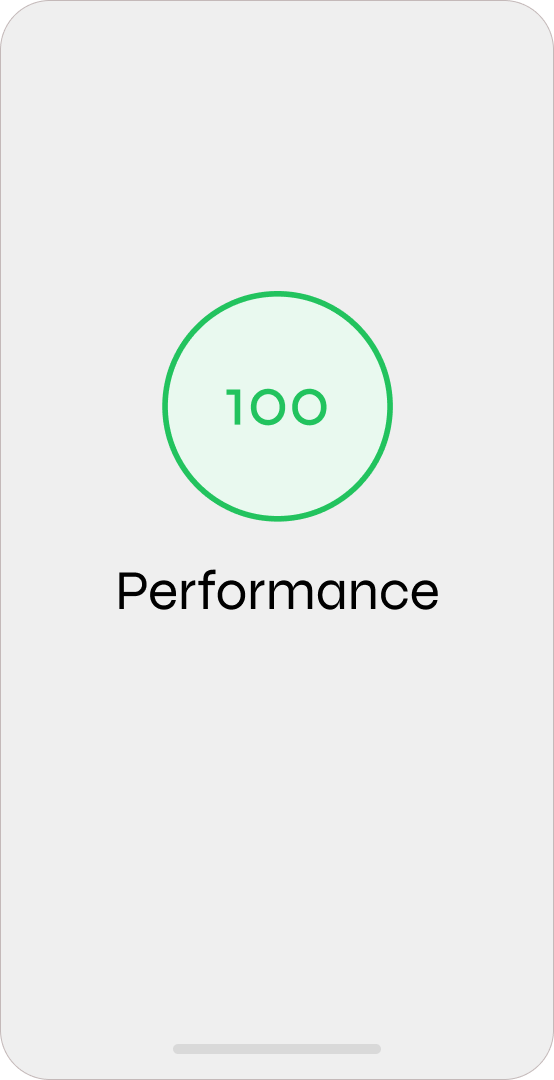
If you hit your Core Web Vitals goals, your site feels smoother, people stick around longer, and Google tends to reward you with better rankings.
Okay, so UX and SEO really do go together. If your site is easy to use, people stick around, bounce less, and Google notices. If you try to make your site mobile-friendly, speeding the page up, having clear menus, readable content, good visual hierarchy, and keeping Core Web Vitals in check can actually make a huge difference. You’ll not only rank better, but people will also actually use your site instead of leaving.
You can always check
SEO Packages Dubai for more info or
SEO Packages in Australia.

About Social Space
Hey there, I'm Robert Tickner!
I’m an online visibility consultant who helps local small businesses get noticed on Google search, guiding them on their digital journey for growth. I build websites with structured web design practices through SEO services that get noticed on Google's search algorithms, write the occasional blog, and boost Google Business Profile listings to improve overall traffic that helps convert more potential clients to your website.

I'm determined to grow my business.
My only question, is it time to boost yours?