
Needing help with online marketing?
What Every Aussie Hairdresser Needs on Their Website
Share this post
There's a pattern we see with almost every hairdresser who comes to us for a new website. They're brilliant behind the chair. Their clients love them. Their Instagram is full of stunning colour work and transformations. But their website, if they have one at all, is either a five-year-old WordPress page that's never been updated, a single-page template from their booking platform, or something a friend built years ago that no longer reflects the quality of their work.
The problem isn't that they don't care about their online presence. It's that no one has explained which parts of a salon website actually matter and which parts are just noise.
This guide breaks down the specific elements an Australian hairdresser website needs to attract new clients, rank in local search results, and convert visitors into booked appointments.
Not generic advice that applies to any business, but practical features that work for hair salons specifically.
A Homepage That Answers Three Questions Instantly
When a potential client lands on your salon's homepage, they're making a decision within seconds. Not about whether they like your colour palette or your font choice, but about whether they're in the right place and whether they trust you enough to go further.
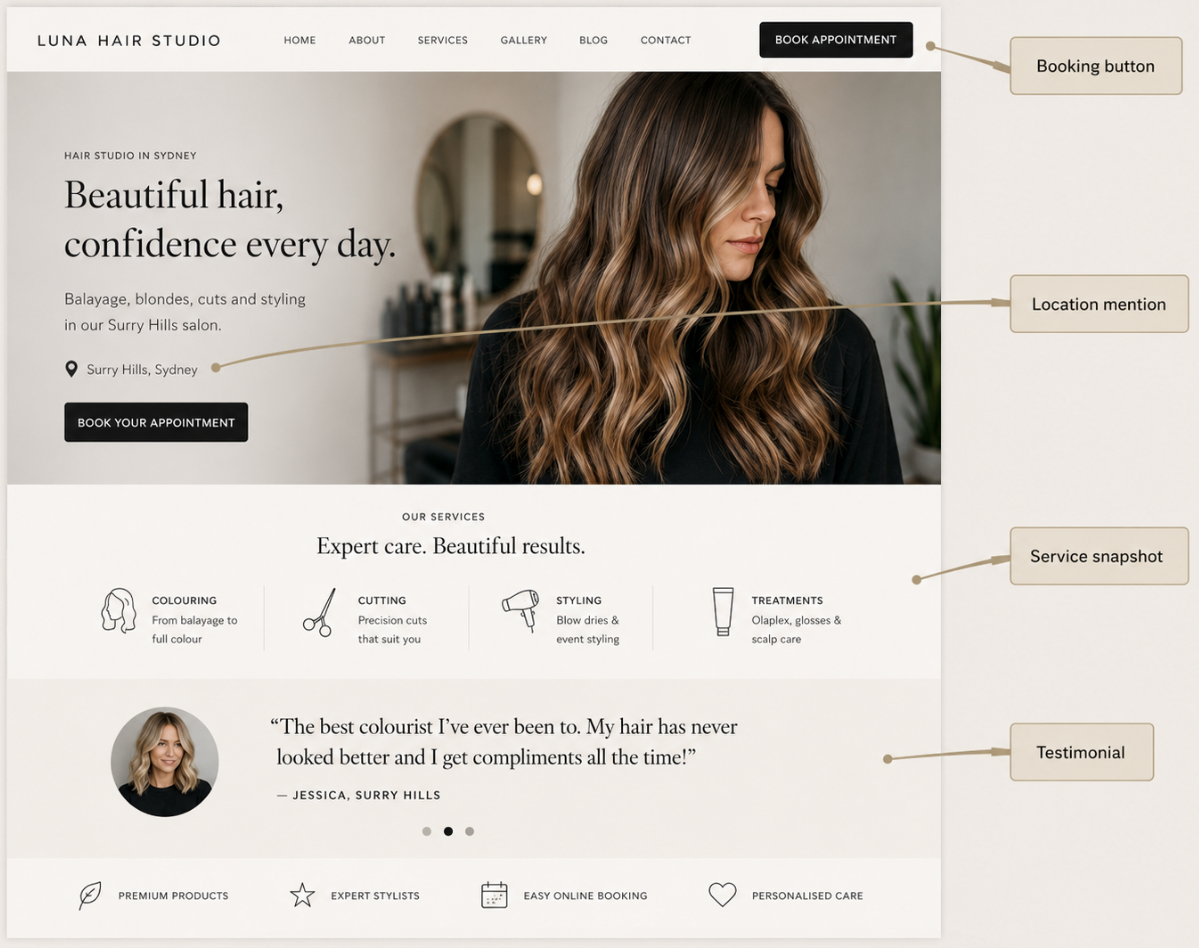
Your homepage needs to answer three questions before anyone scrolls: What do you do? Where are you? How do I book?
That means your salon name, your suburb or area, and a visible booking button or phone number should all be above the fold, visible without scrolling on both desktop and mobile. A tagline or short sentence that communicates your specialty helps too. "Colour specialists in Brunswick" is more useful than "Welcome to our salon" because it immediately tells Google and the visitor what you do and where.
Beyond the fold, your homepage should include a snapshot of your key services, a few photos of your work, a client testimonial or two, and links to your service pages. Think of it as a confident introduction, not a brochure that tries to say everything at once.
Individual Service Pages, Not a Single List
One of the most impactful changes a hairdresser can make to their website is separating services into dedicated pages instead of listing everything on one.
A single "Services" page that mentions cuts, colour, balayage, keratin treatments, extensions, and bridal styling all in a few short paragraphs limits you in two ways. It gives Google one page to rank for everything, which means it doesn't rank well for anything specific. And it gives potential clients a wall of text to scan through instead of a focused page that speaks directly to what they're looking for.
Splitting your services into individual pages means each one can target a different search term. Your balayage page can rank for "balayage specialist [suburb]." Your keratin treatment page can rank for "keratin treatment [city]." Your bridal hair page can rank for "wedding hair stylist near me." Each page becomes its own entry point from Google.
Every service page should include a clear description of the treatment in plain language, what a client can expect during the appointment, how long the service typically takes, an indication of pricing (even a "starting from" figure), photos of your actual work for that service, and a booking link or enquiry button.
For most hairdressers, the core service pages worth creating are cuts and styling, colour (including highlights and toners), balayage and lived-in colour, keratin and smoothing treatments, hair extensions, and bridal or special occasion styling. If you offer additional treatments like scalp care, hair repair, or clip-in services, those can be separate pages too.

A Gallery of Your Actual Work
Your work is your strongest selling tool. A potential client scrolling through your website wants to see what you can actually do, not stock photos of models in a studio they'll never visit.
A gallery or portfolio section featuring real photos of your styling, colouring, and transformations is essential. Before-and-after images are particularly powerful for colour services, extensions, and corrective work because they show the skill involved and set realistic expectations for what a client can achieve.
Organise your gallery by service type rather than uploading everything into one feed. A client considering balayage wants to see your balayage work specifically, not scroll past 30 images of bridal updos to find it. If your website platform allows filtering or category tabs, use them.
Quality matters, but perfection isn't necessary.
A well-lit photo taken on a modern smartphone in front of a clean background is perfectly fine. What counts is that the images are genuine, well-composed, and show your range. If you can, shoot consistently with the same lighting and background so your gallery has a cohesive look.
Upload new images regularly. A gallery that hasn't been updated in a year tells potential clients (and Google) that your site isn't actively maintained. Adding a few fresh photos each month keeps the content current and gives Google a reason to re-crawl the page.
Meet the Team, Not Just the Brand
Clients don't book a salon. They book a person. Especially with hairdressing, where the relationship between stylist and client is personal, knowing who'll be holding the scissors matters.
A "Meet the Team" or "Our Stylists" section with individual profiles for each team member builds trust before a client walks through the door. Include a professional photo, a short bio covering their experience and specialties, and if possible, a link to their individual work or Instagram feed.
For solo hairdressers, an "About" page serves the same purpose. Share your qualifications, how long you've been in the industry, what you specialise in, and a bit about why you chose this career. Clients want to feel like they know you before their first appointment. A warm, authentic bio with a real photo is more persuasive than any amount of polished marketing copy.
This page also helps with search rankings. Including phrases like "senior colourist with 12 years of experience in Fitzroy" or "bridal hair specialist based in Bondi" naturally adds location and service keywords that help Google understand who you are and where you work.
Online Booking That Works Around the Clock
Potential clients don't keep business hours. Someone finds your salon at 10pm while scrolling on the couch. They like your work, they've read your reviews, and they want to book. If there's no online booking option on your website, the moment passes. By morning, they've forgotten or they've booked with the salon that made it easy.
An integrated booking system on your website converts browsers into confirmed appointments without requiring a phone call. Clients can see available time slots, choose their preferred stylist, select a service, and confirm, all in under a minute.
Popular booking platforms that integrate well with salon websites include Fresha, Timely, Kitomba, and Square Appointments. Most of these offer embeddable booking widgets that sit neatly within your website design rather than redirecting clients to a separate platform.
If you're not ready for a full booking system, a simple contact form that captures the client's name, phone number, preferred service, and preferred date still works. The critical thing is giving visitors a way to take action the moment they decide, not just during the hours your phone is answered.
Place your booking button or enquiry form on every page, not just the contact page. A client might decide to book while reading about your colour services. If the button is right there, they'll use it. If they have to navigate elsewhere to find it, you've introduced friction that costs you appointments.

Client Reviews and Social Proof
Trust is the deciding factor when someone is choosing between two hairdressers in the same area. They've checked both websites, both look professional, both offer the services they want. What tips the decision? Reviews.
Displaying genuine client testimonials on your website, particularly on your homepage and on relevant service pages, gives new visitors the confidence to book. A testimonial that specifically mentions a great balayage result is far more convincing on your balayage page than a generic "loved my experience" quote sitting on a separate testimonials page that nobody visits.
Beyond your website, your Google reviews directly influence your local search rankings. A salon with 60 reviews and a 4.9-star rating will consistently outrank a competitor with a handful of reviews, even if that competitor's website is technically better. Encourage happy clients to leave a Google review after their appointment. A QR code at reception or a follow-up text with a direct link makes it simple.
When you receive reviews, respond to every one. Thank positive reviewers with a personal touch. Address negative reviews calmly and professionally. Google tracks whether you engage, and potential clients notice the effort.
Mobile Performance Is Not Optional
More than half of all hair salon website visits come from mobile devices, and for local searches like "hairdresser near me," that number is even higher. If your website doesn't work smoothly on a phone, you're losing clients before they even see your work.
Mobile-responsive design means your site automatically adjusts its layout, images, navigation, and text to fit any screen size. Buttons should be large enough to tap with a thumb. Your phone number should be clickable so clients can call with a single tap. Text should be readable without pinching to zoom. Images should load quickly without eating through mobile data.
Google also uses mobile performance as a ranking factor. A site that loads slowly or displays poorly on mobile will be penalised in search results, pushing you below competitors whose sites perform better on smaller screens.
If your current website was built more than a few years ago and hasn't been specifically optimised for mobile, there's a reasonable chance it's underperforming. At Social Space, every hair salon website we build is mobile-first by default, meaning we design for phones first and scale up to desktop, not the other way around.
Local SEO Built Into Every Page
For a hairdresser, almost every client lives or works within a short distance of your salon. That makes local SEO the single most important factor in whether your website generates bookings or sits idle.
Local SEO isn't a separate add-on. It should be woven into your website from day one. That means including your suburb and surrounding areas naturally in your page titles, headings, and body content. Not crammed into every sentence, just present where it makes sense. "Our hair salon in Paddington" in an intro paragraph, "Serving clients across Paddington, Woollahra, and Bondi Junction" in a footer or about page, "Balayage specialist in Sydney's Eastern Suburbs" as a page title.
Your website's name, address, and phone number should be consistent everywhere it appears, on your site, on your Google Business Profile, on social media, and in any online directories. Even small variations can weaken the signal Google uses to determine your location and relevance.
For a full walkthrough of how local search actually works for salons, including Google Business Profile setup, reviews, and content strategy, read our guide on how to get more clients for your hair salon through Google.
Adding a Google Map embed on your contact page, creating a properly optimised Google Business Profile, and listing your salon on Australian directories like Yellow Pages and True Local all contribute to local visibility.
If you want to take local SEO further, Social Space offers managed local SEO packages where we handle the ongoing optimisation while you focus on your clients.
A Platform You Can Update Yourself
Too many hairdressers are stuck on websites they can't update without calling a developer. An old WordPress site with broken plugins, a template builder that's been discontinued, or a site that was custom-coded by someone who's no longer available. The result is always the same: a website that gradually becomes outdated because making changes feels too hard.
Your website platform should let you log in, edit your own text and images, and publish updates without technical help. If you want to add a new service, update your pricing, or upload fresh gallery photos, that should take minutes, not a support ticket and a two-week wait.
At Social Space we build salon websites on the Duda platform, which gives you a clean drag-and-drop editor, fast cloud hosting on AWS, built-in SEO tools, and SSL security included in every plan. There are no plugin updates to manage, no security patches to worry about, and no developer needed for day-to-day changes.
If you're currently on WordPress and considering a move, we handle the full migration from WordPress to Duda including content transfer, domain connection, and redirect setup so you don't lose your existing search rankings. We also migrate from Wix, Squarespace, and Weebly.

Clear Pricing, Even If It's a Starting Point
Pricing transparency is one of the most debated topics among salon owners when it comes to their website. Some prefer not to list prices because services vary based on hair length, thickness, and condition. That's fair, but giving visitors no pricing guidance at all creates uncertainty, and uncertainty kills bookings.
A middle ground works well for most salons. List "starting from" prices for your core services so potential clients can gauge your price range before they enquire. "Balayage from $180" or "Women's cut and style from $75" sets expectations without locking you into a fixed price for every client.
Pricing information also helps with search rankings. When someone searches "how much does balayage cost in Melbourne," Google may pull pricing information from websites that include it clearly. If your balayage page has a starting price, a service description, and your location, it has a chance of appearing in those results.
If you choose not to display specific numbers, at least include a phrase like "Pricing varies based on hair length and service complexity, contact us for a personalised quote." Avoid leaving the topic unaddressed entirely, because silence feels like the prices are being hidden, which rarely builds trust.
Wrapping Up
A hairdresser website doesn't need to be complicated, expensive, or packed with features. What it needs is the right foundations: a clear homepage, individual service pages, genuine imagery, an easy way to book, client reviews, mobile-responsive design, and local SEO woven throughout.
The salons that consistently attract new clients through Google aren't always the ones with the biggest marketing budgets. They're the ones with websites that make it easy for the right people to find them, trust them, and book with them.
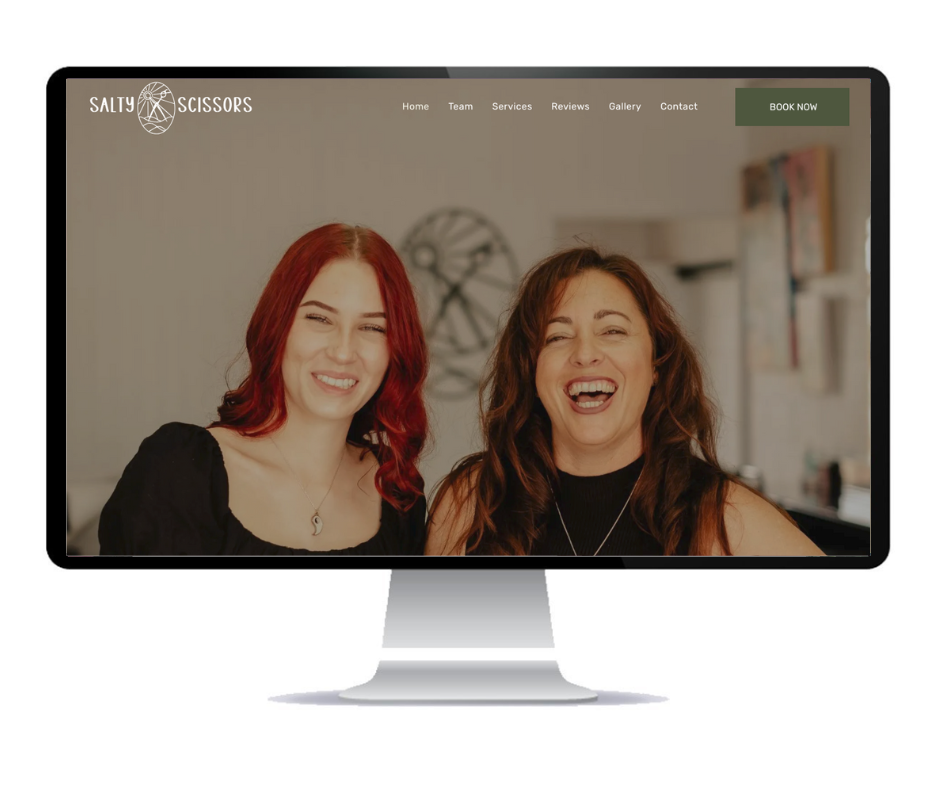
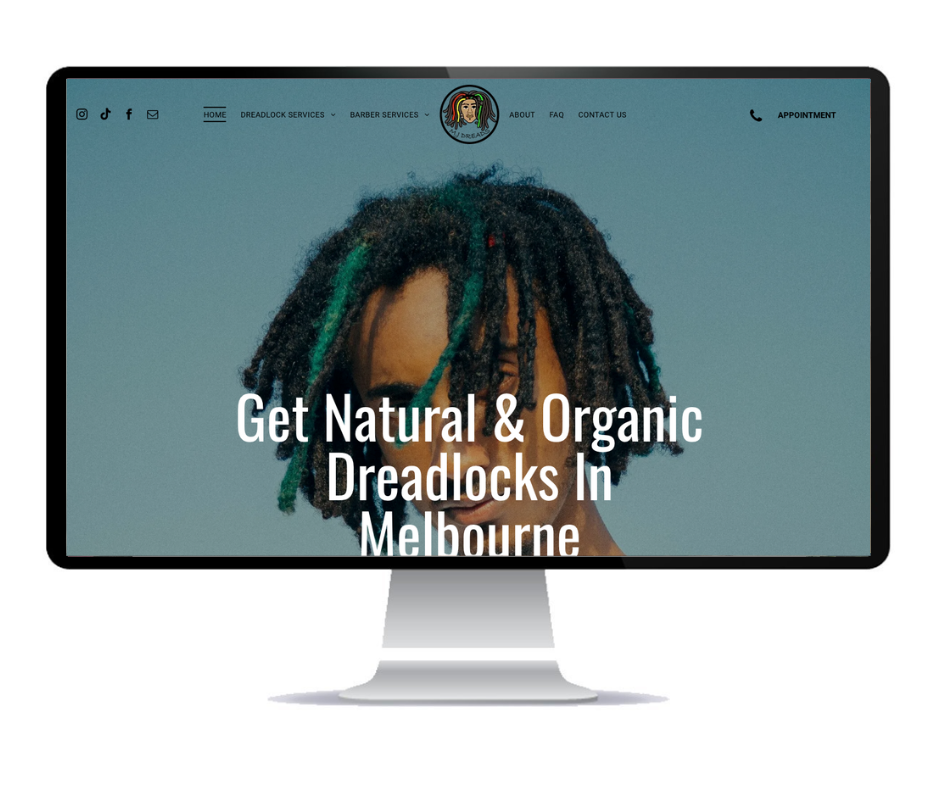
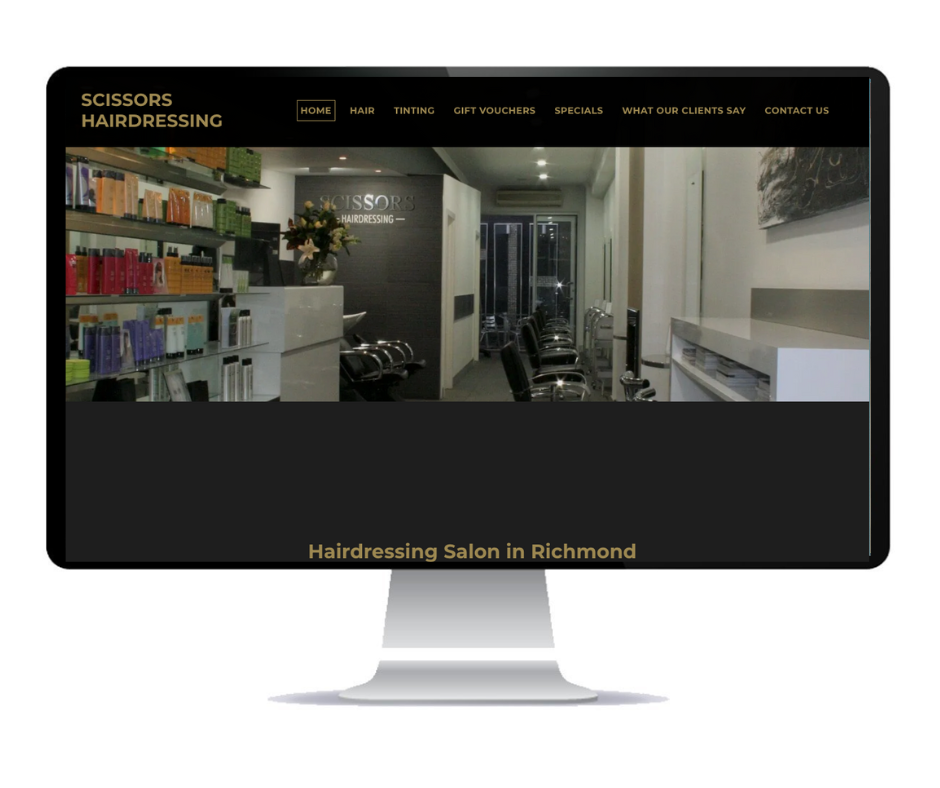
If your current website isn't doing that, or if you've been putting off building one because the process feels overwhelming, it doesn't have to be. We've built websites for hairdressers and beauty salons across Australia, including Salty Scissors, MJ Dreads, and Scissors Hairdressing, and we can have your new site live in under a week.
Ready to build a website for your salon?
Social Space builds professional websites for hairdressers, hair salons, and beauty salons across Australia. Every site includes local SEO foundations, mobile-responsive design, and no lock-in contracts. Monthly plans from only $25/mo.

About Social Space
Hey there, I'm Robert Tickner!
I’m an online visibility consultant who helps local small businesses get noticed on Google search, guiding them on their digital journey for growth. I build websites with structured web design practices through SEO services that get noticed on Google's search algorithms, write the occasional blog, and boost Google Business Profile listings to improve overall traffic that helps convert more potential clients to your website.

I'm determined to grow my business.
My only question, is it time to boost yours?