
Needing help with online marketing?
5 Reasons Professional Web Design Is Vital for Your Small Business
Share this post
Professional web design helps small businesses improve user experience, search visibility, security, brand trust, and scalability—boosting leads and long-term growth.
Key Highlights
- User experience drives conversions by guiding visitors through clear structure and mobile-friendly layouts
- Technical structure affects SEO through proper HTML, fast loading, and optimized assets
- Security starts at the design phase with limited form fields and encrypted connections
- Consistency builds trust through uniform fonts, spacing, and reusable components
- Scalable design prevents costly rebuilds by planning for future growth and integrations
- Behind-the-scenes choices like content loading order and deferred scripts improve performance
A small business website does important work behind the scenes. It routes enquiries, loads scripts, handles form submissions, tracks behaviour, and passes data between systems. Visitors only see the surface. Performance, reliability, and trust depend on how the site is built underneath.
Smaller businesses feel the impact of mistakes faster than large brands. Traffic volumes are lower, which means each visit matters. A slow page, broken layout, or confusing navigation does not just look bad. It removes a potential lead entirely.
Professional web design reduces those risks by addressing structure, performance, and security during the build, not after problems appear. The sections below explain where that difference shows up in practical terms.
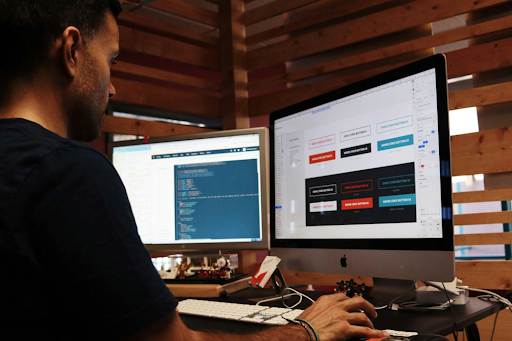
Copyright: Unsplash | License: CC0 Domain
Top Six Reasons Professional Web Design Matters
Professional web design focuses on decisions that affect how people move through a site, how search engines interpret pages, and how safely information is handled. Each reason below connects design choices to measurable outcomes such as enquiries, bookings, and repeat visits.
1. User Experience Shapes Decisions Before Content Is Read
Visitors do not read websites the way owners expect. Most scan first, pause briefly, then decide whether to continue. Professional designers plan for that behaviour.
Design work at this level starts with structure, not colours. Page hierarchy, spacing, and content order decide what a visitor notices first. A services page, for example, needs its primary value statement visible before scrolling. Supporting details can follow later.
Several technical choices support this:
● Information structure built around intent: Pages are arranged to match how people search for answers. Headings mirror real questions, not internal business language.
● Navigation that behaves consistently: Menus, buttons, and links work the same way on every page. Predictability reduces hesitation and shortens decision time.
● Layouts designed for scanning: Text blocks, spacing, and visual breaks allow key points to stand out without forcing visitors to read line by line.
Mobile user behaviour changes these priorities. Thumb reach, tap accuracy, and scroll length matter. Professional designers test layouts across devices to ensure touch targets remain usable and content does not collapse or overflow.
2. Technical Structure Determines Search Visibility
Search engines evaluate how a site is built long before judging design quality. Code structure, loading order, and semantic clarity determine how content is interpreted.
Problems appear when the design relies too heavily on visual builders without technical control. When styles are used instead of proper HTML structure, headings can lose their meaning. Similarly, excess scripts can delay rendering, and unused assets increase page weight.
Professional web design addresses these issues during development:
- Correct HTML hierarchy: Headings follow logical order, which helps search engines understand topic relevance.
- Controlled asset loading: Scripts and stylesheets load only where required, reducing unnecessary delays.
- Clear above-the-fold content: Primary content appears early in the load sequence, supporting both engagement and indexing.
Speed plays a measurable role here. Image compression, font loading strategy, and render order affect how quickly a page becomes usable. Fixing these later costs more than building them correctly from the start.
3. Security Starts With Design Decisions
Security depends on more than hosting or plugins. Design determines how data enters a site, where it moves, and what remains exposed.
Your website's forms, admin panels, and third-party integrations can all create potential access points for security threats. Without proper planning, these features increase your site's risk. A professional web design, however, can reduce this exposure through a secure and well-thought-out structure.
Key practices include:
- Restricted data entry paths: Forms collect only required fields, reducing stored data and attack surface.
- Separation of public and administrative areas: Management interfaces stay isolated from front-end content.
- Clear trust indicators for users: Consistent layout, secure connections, and predictable behaviour encourage safe interaction.
Many teams manage sites remotely. Businesses might rely on secure connections when accessing admin panels or analytics dashboards.
Many businesses use aVPN, meaning data is encrypted for additional security between devices and servers. Secure design ensures encrypted traffic aligns with how the site processes requests instead of creating conflicts.
4. Consistent Design Builds Brand Trust Over Time
Trust forms through repetition. Visitors notice when spacing shifts, fonts change, or tone varies between pages. Even subtle inconsistencies raise doubt.
Professional designers treat brand guidelines as systems, not decoration. Rules apply site-wide.
A functional design system includes:
- Reusable components: Buttons, forms, and content blocks follow one structure on every page.
- Defined spacing rules: Margins and alignment remain consistent, which improves readability.
- Clear typography hierarchy: Headings, subheadings, and body text guide reading flow naturally.
When you maintain consistency, you reduce the mental effort for users. They can navigate faster and make decisions more confidently because they are interacting with familiar patterns. This also simplifies maintenance, as new pages can follow established rules instead of requiring fresh design work each time.
5. Scalability Prevents Costly Rebuilds
Many small business sites struggle once growth begins. New services, booking tools, or integrations expose limitations in the original design.
Professional web design anticipates expansion. Structure supports change rather than resisting it. Scalable sites account for:
- Layouts that accept new content types: Pages expand without breaking visual balance.
- Navigation systems that grow cleanly: Menus support additional sections without clutter.
- Backend flexibility: Integrations such as payments, CRMs, or scheduling tools connect without restructuring.
Planning for growth reduces long-term costs. A site built to add pages, tools, and services without rebuilding remains stable as the business evolves.
6. Behind-the-Scenes Design Decisions That Matter
Some of the most important design decisions are the ones visitors never notice directly. How quickly a page becomes usable, how smoothly it responds, and how reliable it feels all depend on technical choices made during the build.
Examples of these decisions include:
- Loading key content first: Essential text and visuals appear early so the page feels ready, even while other elements continue loading.
- Holding back non-essential scripts: Analytics and extra features load after the main content, which helps pages stay responsive.
- Improving form interactions: Clear feedback and early error checks reduce failed submissions and user frustration.
DIY builders rarely handle these details well because they prioritise appearance over performance. Professional design applies these techniques deliberately, improving speed and usability without adding unnecessary complexity.
Why Professional Design Pays Off Long Term
Design choices influence how fast a site feels, how safe it appears, and how easily it adapts. Visitors respond to these signals even when they cannot explain them.
Professional web design treats structure as infrastructure. Load order, interaction timing, and data flow receive the same attention as visuals. Results show up in enquiry rates, search visibility, and maintenance costs over time.
Australian Small businesses benefit most when websites work efficiently in the background, supporting growth instead of demanding constant fixes.

About Social Space
Hey there, I'm Robert Tickner!
I’m an online visibility consultant who helps local small businesses get noticed on Google search, guiding them on their digital journey for growth. I build websites with structured web design practices through SEO services that get noticed on Google's search algorithms, write the occasional blog, and boost Google Business Profile listings to improve overall traffic that helps convert more potential clients to your website.

I'm determined to grow my business.
My only question, is it time to boost yours?